|
|
 |
|
Morph ToolKit
Animation
MAGAZINE -
October
2002 |
 |
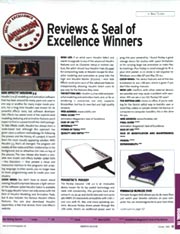
DI-O-MATIC MORPH TOOLKIT
Even though most 3D modeling and animation packages are armed
with easy-to-use morph sliders, it's still tough to attach a
morph object - like a face, arm or other body part - to the rest
of a model. Attaching tools often gets rid of an object's
history and that means a loss of control and creativity. Morph
Toolkit's Attach-O-Matic module resolves this problem. After
welding the morph and non-morph objects together you maintain
your control over each because you still have access to the
individual modifier stacks. The Copy-O-Matic module lets you
create expressions for one half of a symmetric object, like a
human face, and then apply those expressions automatically to
the other side of the object by copying vertex selections and
positions. |
|
GOOD NEWS:
The Link-O-Matic module lets you link non-morphing elements in a
scene so that they follow the animation of a morph object. For
example, you can use Link-O-Matic to link the movements of a
character's teeth to that of its morphing lips. |
|
WISH LIST:
Add a few features from Morph-O-Matic, Di-O-Matic's morphing
plugin, to the Morph Toolkit and keep the price the same. |
|
THE BOTTOM LINE:
If you are using 3ds max morphing tools, then you must have the
Morph Toolkit to save both time and production dollars. |
|
|
|
WEB
ADDRESS:
www.diomatic.com
FINAL SCORE ****
Animation Magazine's Seal of Excellence
EASE OF USE ****
INTERFACE *****
POWER OF TOOLS ****
QUALITY AND DEPTH ***** |
| |
|
Written by Bijan
Tehrani ,
Animation Magazine, October 2002
Issue |
|
|
|

 SHOPPING
CART
SHOPPING
CART





 2000- Di-O-Matic, Inc. All Rights Reserved.
