|
Blur Studio, based in Venice California, has
definitely earned its reputation from the quality of its
critically acclaimed work and the dedication of its
artists to create stunning CG characters.
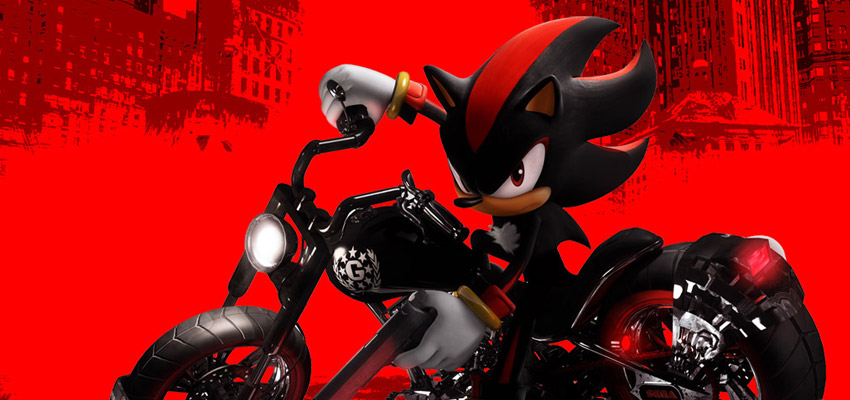
In 2006 Blur Studio has created, amongst many other
productions, the cinematic sequences for Sonic the
Hedgehog and Shadow the Hedgehog video games.
For
many years now,
Morph-O-Matic has been the morphing engine of
choice at Blur Studio when animating CG characters.
"We use Morph-o-Matic as the morphing tool on all our
3DS Max based character rigs.” reveals Leo
Santos, lead animator at Academy nominated
Blur
Studio. “Morph-O-Matic is simple and flexible
enough so we can combine it with custom rig solutions
very easily.”
Morph Toolkit,
a unique combination of tools to assist artist in the
creation of morph targets was also a time saver at Blur
Studio as Santos confesses: “Another favorite is the
Copy-O-Matic modifier from Morph ToolKit, which has
saved my life a few times already.”
"To me, the best features
of Morph-O-Matic are how you can organize the shapes
into groups, and how easy it is to transfer information
from one scene to another. It's also good to remember
that it's simple and flexible enough so you can combine
it with custom rig solutions (like special controls on
top of the morph animation)." explains Santos.



"One particular challenge
we had on the Sonic opening cinematic (and the Shadow
the Hedgehog cinematics) is the fact that Sonic's mouth
is sometimes on the side, sometimes on the middle. We
did a special setup with Morph-O-Matic that allowed us
to "reset" the neutral pose to the side or to the center
using one Morph-O-Matic modifier, then apply the shape
animation on top of that with another Morph-O-Matic, and
it worked well, we could start the scene with the mouth
on the side and then slide it to the middle without much
trouble." reveals Leo Santos, Animation Supervisor
for the Sonic cinematics at Blur Studio.
Once again Di-O-Matic prove their technologies
reliability in production, this time as a key component
of the facial animation pipeline of an all time classic
game character : Sonic the hedgehog.
Web Links
Visit the website of the game :
www.sega.com/gamesite/sonicnext/
Visit Blur Studio website :
www.blur.com
Morph-O-Matic is available at $249, for more
info
visit Morph-O-Matic's webpage or get the FREE trial
here.
Morph Toolkit is available at $199, for more
info
visit Morph
Toolkit's webpage or get the FREE trial
here.
All images courtesy of
Blur Studio
and SEGA |

 SHOPPING
CART
SHOPPING
CART








 2000- Di-O-Matic, Inc. All Rights Reserved.